Digital time clock and employee management Less time chasing hours. Keep your team organized.

Employees clock in on their phones. You review hours, plan shifts and prepare payroll reports. You can also manage employee files, documents and Form 101, or work with RayClock through ChatGPT, Claude and Gemini.

From ₪8 per employee per month for Attendance. Team Management: ₪12 per employee per month. Prices exclude VAT.

Start your 14-day free trial → Book a demo No credit card · No setup fee
What an organized workday looks like

See who's at work
and what needs checking.

Employees clock in from their phones, and you see who is at work — in one place.

From clock-in to report ↓
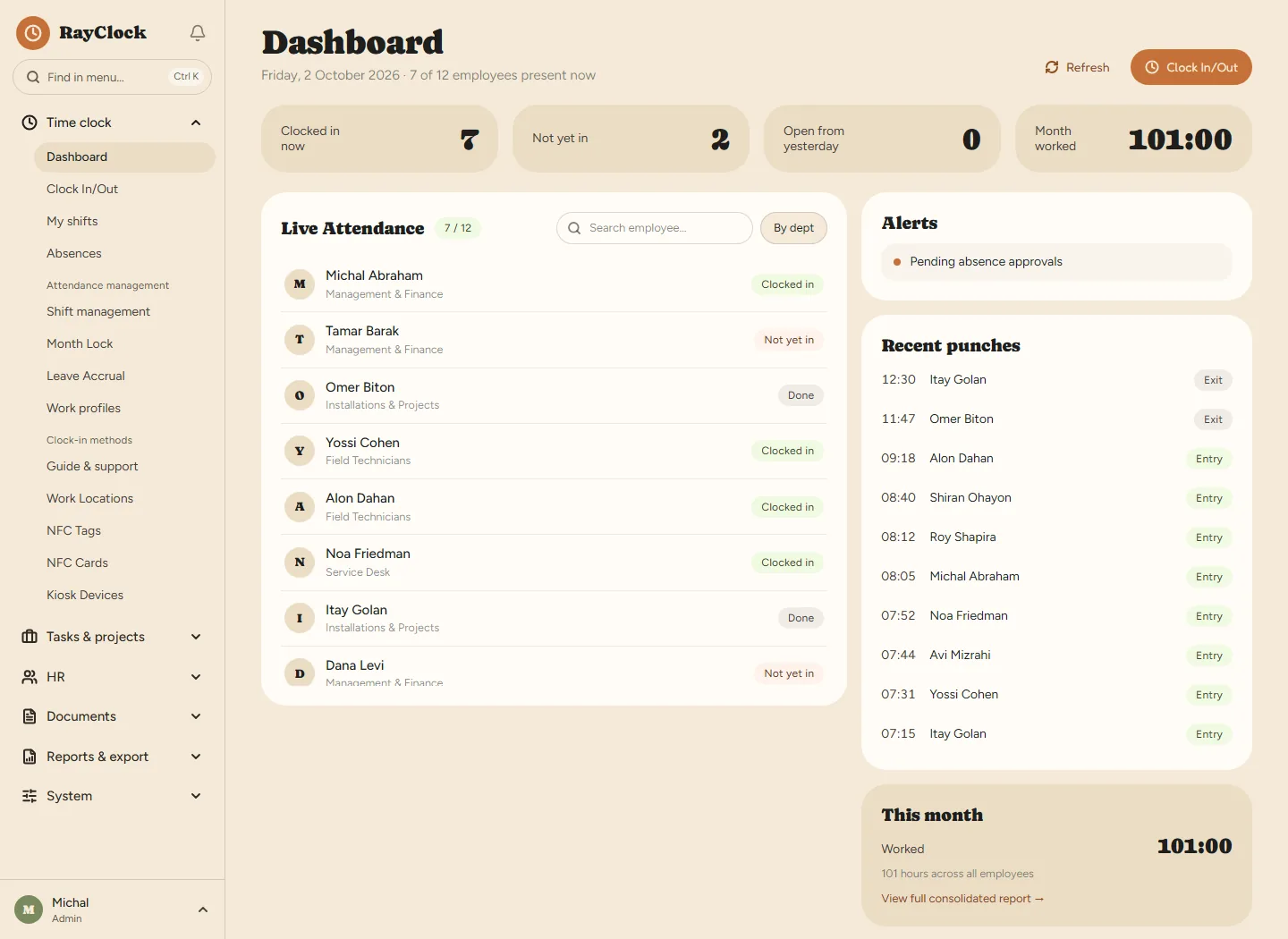
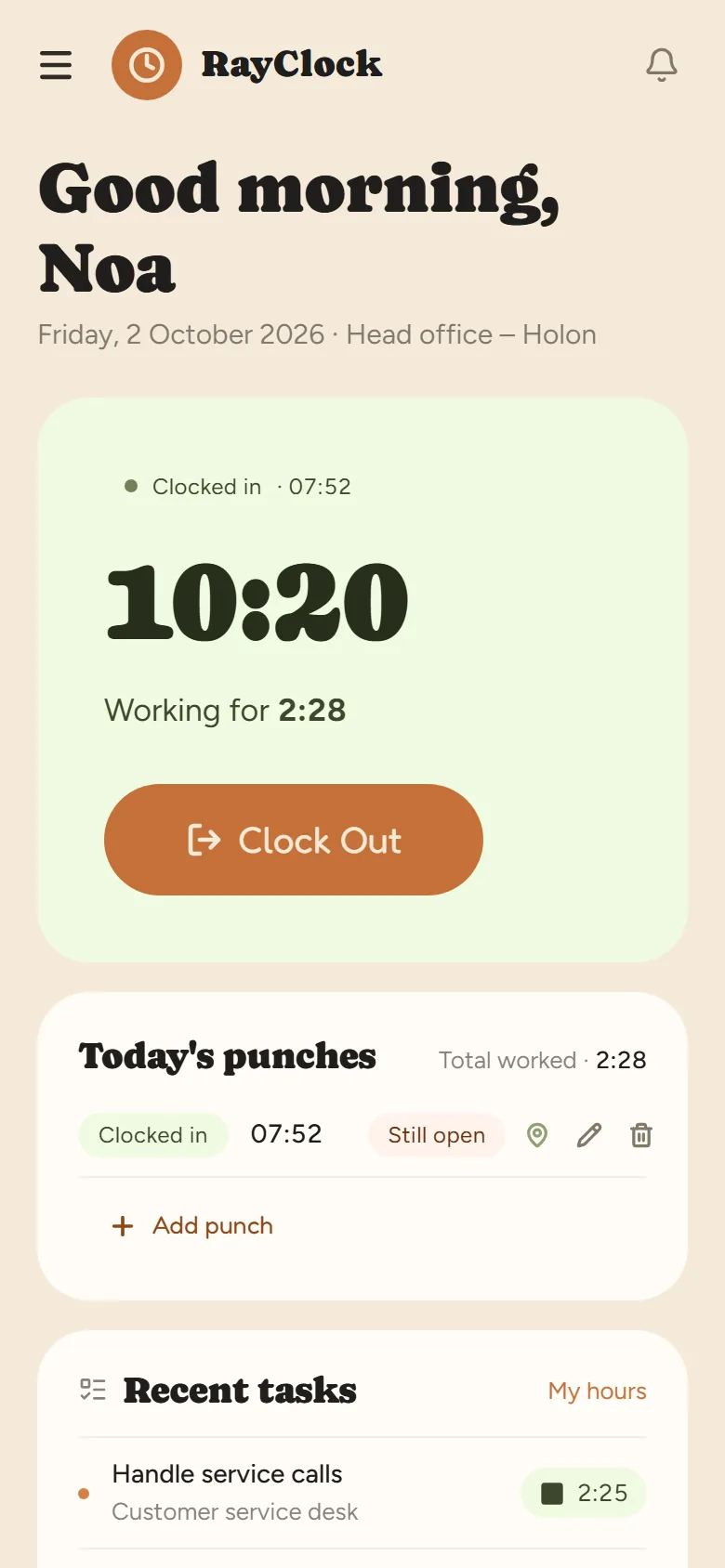
Dashboard: who is in now and recent punches
Clocking in from a phone

From clock-in to report, in three steps

Clock in

The employee taps Clock in on a computer, the phone app or an NFC tag at the door. The time is recorded — and, if you turned on location checks, that they were on site. With a published rota, you also see who arrived for their shift.

Review

The manager sees who is in, who hasn’t arrived and who has finished — in real time. A punch missing? Fix it with a reason, and the change is kept in the log.

Report

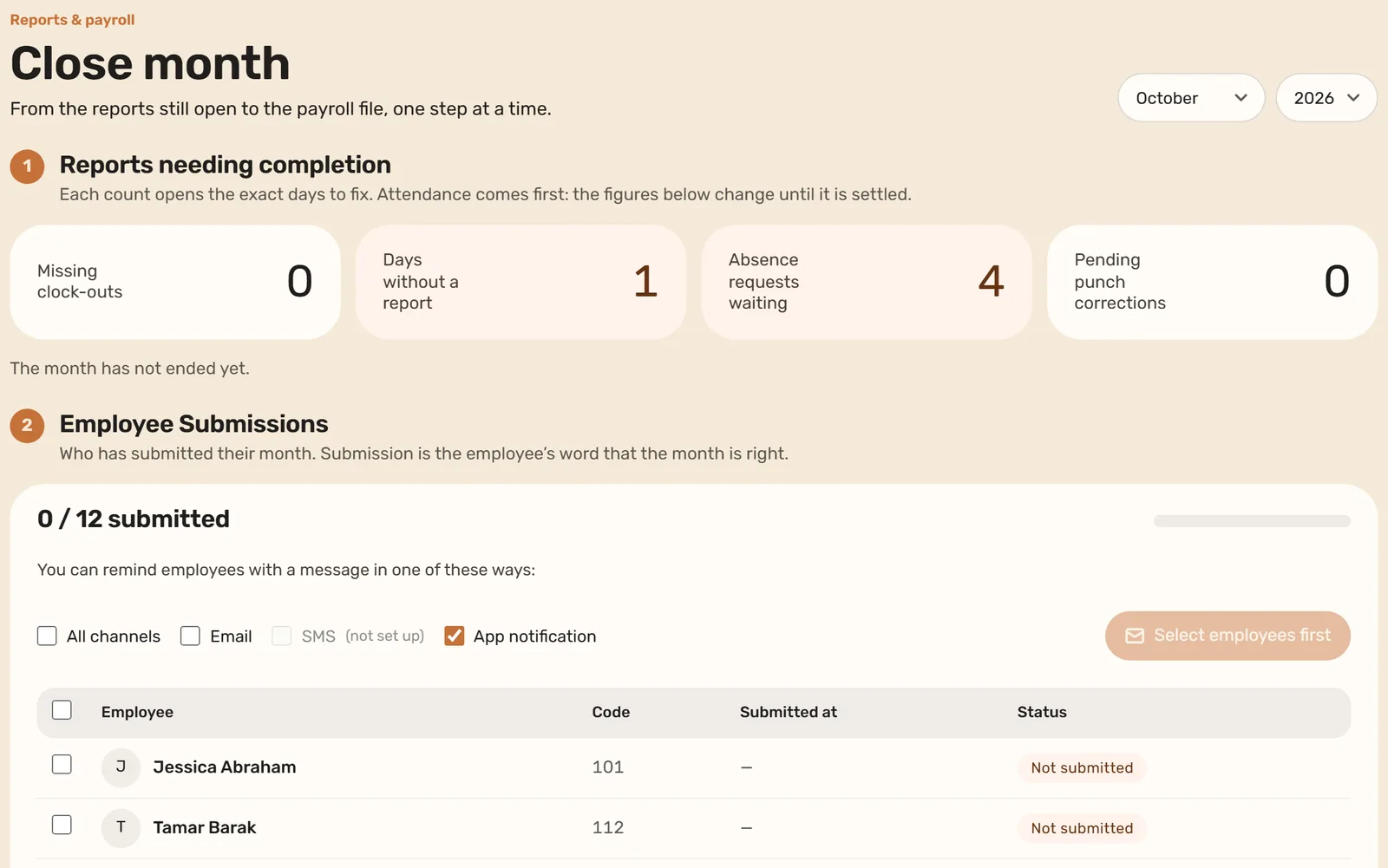
At month-end, hours, overtime, Shabbat and holidays are already calculated. Review, lock the month and export to payroll.
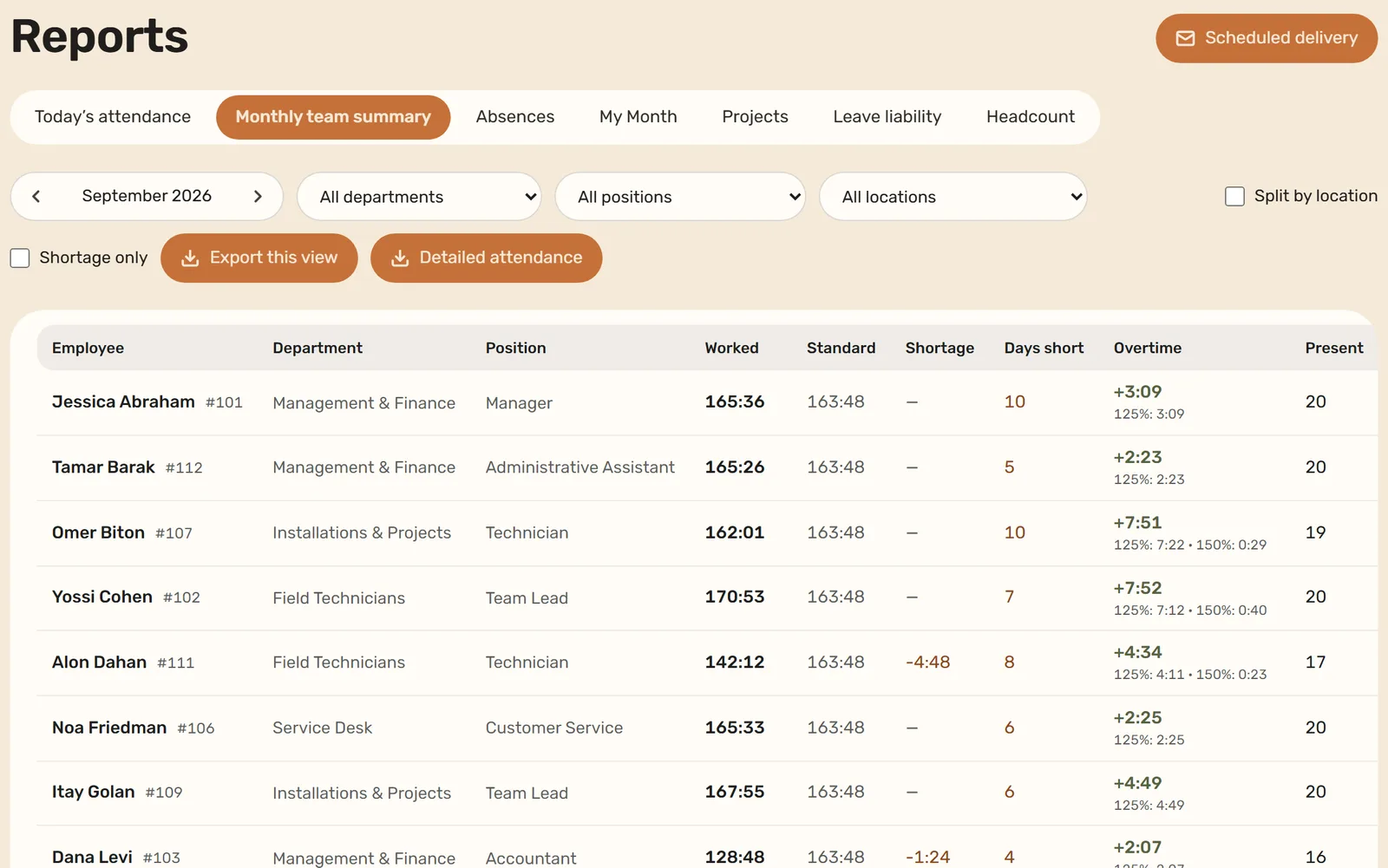
Explore attendance reports

Attendance report — product screenshot with sample data
Attendance report · Screenshot · sample data
Month-end review — product screenshot with sample data
Month-end review · Screenshot · sample data
New · An AI assistant that takes action in your attendance system

Almost everything you do in RayClock.Now from ChatGPT, Claude and Gemini too.

Connect your assistant, ask about your data and have it take action, from attendance and employees to shifts, approvals and reports. Every change waits for your approval.

Look up
Who on the team hasn’t arrived yet today?
RayClock · Who’s in today
3 aren’t in yet: Yossi Levi (shift from 08:00), Michal Avraham and Dana Cohen (from 09:00). Noa Barak is on vacation today.
Take action
Move Ron to the Sales department and send him an invite.
I’ll move Ron Levi to Sales and email him a sign-in invitation.
The assistant asks to make a change in RayClockCancel✓ Allow
Done. Ron Levi is in Sales, and the invitation has been sent.
Whole process
Help me close September and produce the payroll report.
RayClock · Month-end
There are 3 open punches and 4 pending leave requests. Close the punches by the shift end time and show you the requests?
Yes, and the requests can be approved.
Closed 3 punches and approved 4 requests. September is locked, and the payroll file is ready:payroll-2026-09.xlsx

Illustrative examples. The names in these chats are not real business data.

Room to grow

Manage attendance
across your branches.

Each manager handles their own team. You see the whole company — without switching between separate reports.
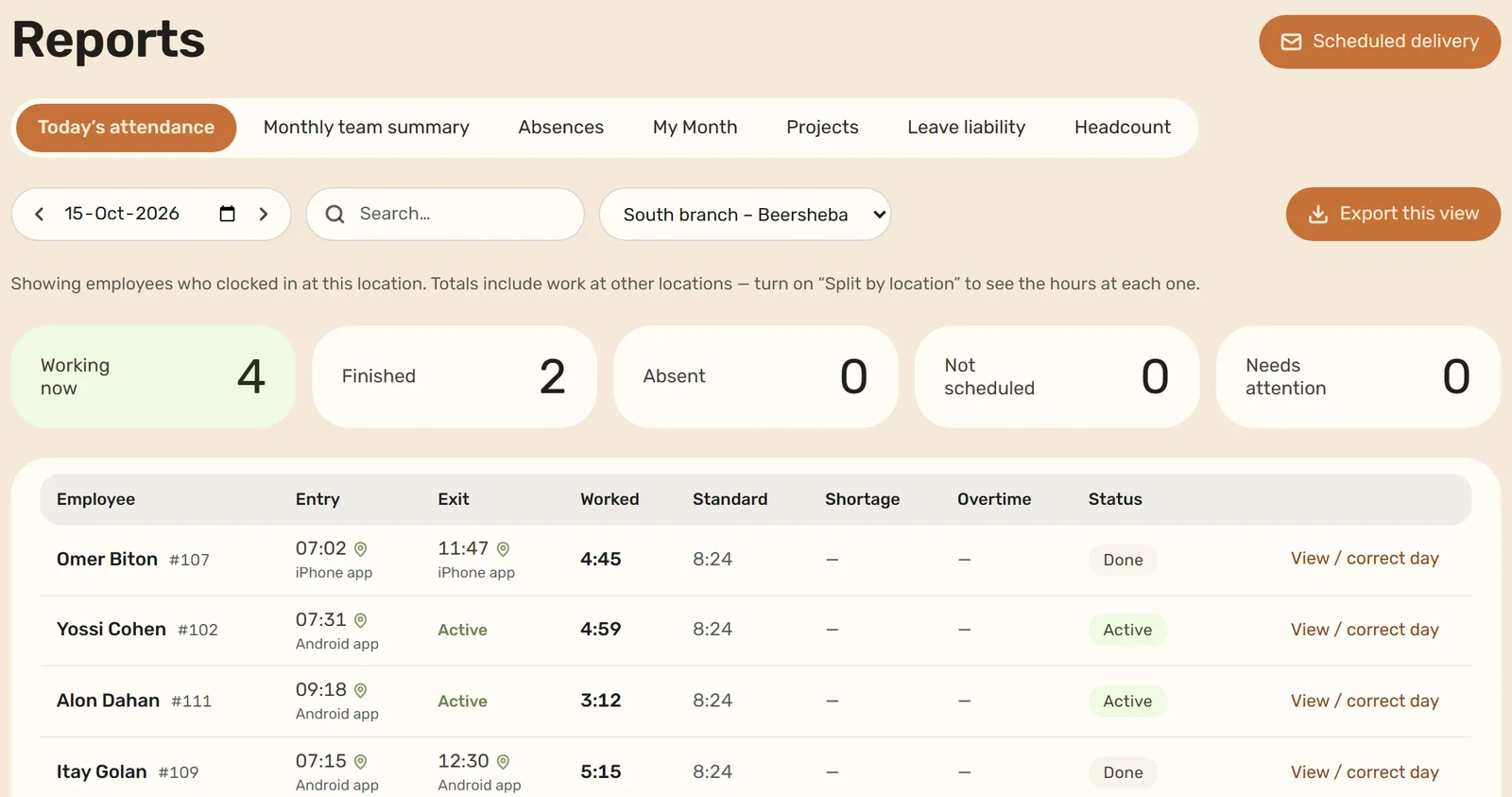
  • Sites, each with its own clock-in radius
  • Departments, sub-departments and manager permissions
  • Reports by department or site
Attendance by branch — product screenshot with sample data
Attendance by branch · Screenshot · sample data

Built for your business

From a local business to a large company — pick your kind of workplace and see the options that fit it.

What you can manage in RayClock

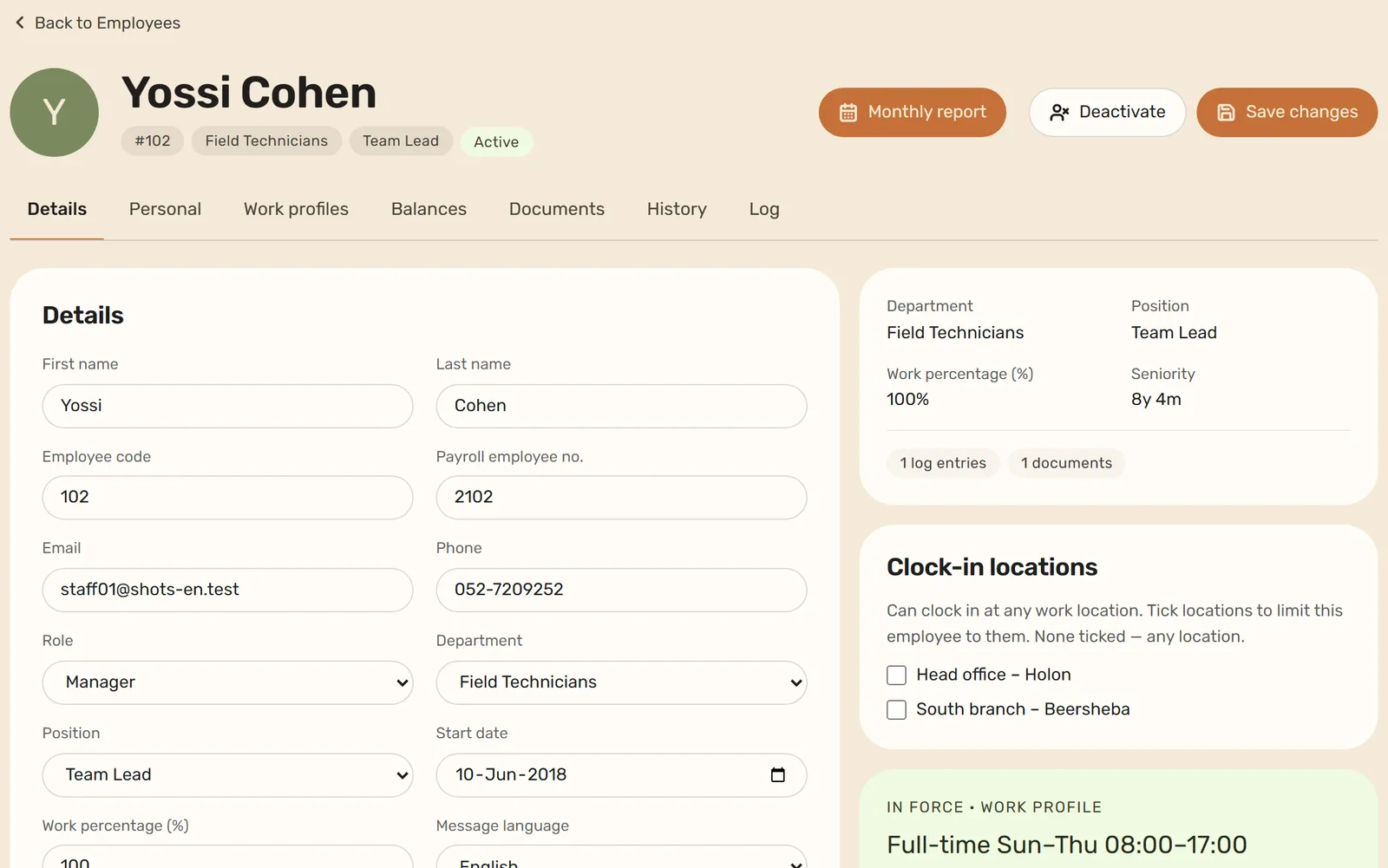
Employee profile — product screenshot with sample data
Employee profile · Screenshot · sample data

Two plans, priced per employee

Calculate your price →
From ₪8 per employee per month on Attendance, or ₪12 on Team Management. No minimum headcount or setup fee. Prices exclude VAT.
14 day free trial · No credit card · No setup fee

How businesses use RayClock

Short customer stories based on their reported experiences and testimonials. Quotes are translated from Hebrew.

A.Y. Accounting

All employees, two offices

All employees at A.Y. Accounting report attendance through RayClock from the business’s two offices.

“The service is excellent and setup was very quick. It is convenient that employees can easily clock in at both offices.”

A.Y. Accounting
Attendance across sites

Prostraight Garage Ltd.

Working through chat

Prostraight Garage also uses the chat connection to work with RayClock.

“The system is easy and convenient to use. The chat connection makes work easier — you can simply talk to it.”

Prostraight Garage Ltd.
Connecting AI assistants

Yatsnev Retail Ltd.

Getting started independently

Yatsnev Retail’s testimonial describes getting started without help from support.

“The system is very clear. I managed on my own without needing help from support.”

Yatsnev Retail Ltd.
Setup guide

Mivhar Matamim Ltd.

From bakery to café

Mivhar Matamim uses RayClock for attendance at its bakery and café, with varied working hours throughout the day.

“From the early shift at the bakery to the evening at the café, managing attendance in RayClock is convenient. The system is simple to use and suits our varied working hours.”

Mivhar Matamim Ltd.
Restaurant attendance

Duvshanit Kindergarten Ltd.

From arrival to the attendance report

At Duvshanit, teachers clock in on arrival and the manager receives a consolidated attendance report.

“The teachers clock in at the entrance with one tap, and I receive an organized report without having to chase anyone.”

Duvshanit Kindergarten Ltd.
Attendance reports

Getting started with RayClock

Three steps from a new account to an employee's first clock-in. Start with one employee and add the rest later.

  1. Set up your businessSign up, confirm your email and choose your work week. The system suggests a ready-made work profile for hours and overtime, and you can fine-tune it later.
  2. Add employeesAdd an employee by hand or import a list from an Excel file you already have, then send an invitation. Each employee chooses their own password.
  3. Start clocking inThe employee signs in from a phone or computer and taps Clock in. You see it right away, and the monthly report is built from it.

You're not on your own at the start

RayClock is built for Israeli labor law. Set it up yourself with the guide, or book a call and do it together.

  • An intro call of about 20 minutes, around how your business works
  • Help choosing how your team clocks in: phone, computer, kiosk or NFC
  • A joint check of the export to your payroll system
  • Email and WhatsApp replies, usually within one business day
How do I get started, and can I import employees from Excel?

Sign up, verify your email and set your work week. Add employees by hand or import a list from Excel and send invitations. You can start with one employee and add the rest of the team later. Setup guide.

Do I need to buy a time clock or special equipment?

You can start with clock-in from a phone or computer, without buying a time clock. If it suits your business, you can add NFC tags or NFC cards. NFC equipment is billed separately. All clock-in methods.

Does RayClock have a mobile app?

Yes. The RayClock app is free on the App Store for iPhone and on Google Play for Android, in Hebrew, English and Russian. Employees clock in and out with it (wall NFC tags included), see their hours and shifts, request time off and sign documents and Form 101. Anyone who'd rather not install it can clock in from the phone's browser with the same email and password. More about the app.

Does it work for several branches and managers?

Yes. You set up sites, each with its own clock-in radius, plus departments and sub-departments. Each manager sees and approves within their own departments, and the admin sees the whole company. Reports can be filtered by department or site. More on managing branches.

How do I get the data into my payroll system?

You produce a file from an export template and import it into your payroll system. Shiklulit, Michpal, Rivhit and Oketz have a dedicated format; for other systems we check whether an Excel or CSV file fits. We’ll be happy to check your payroll system with you before you start. More on payroll export.

What does the trial include, and what do I pay afterwards?

A 14-day free trial, with no credit card and no automatic charge at the end. From ₪8 per employee per month for Attendance. Team Management: ₪12 per employee per month. Prices exclude VAT. No minimum headcount, no setup fee and no annual commitment. Full pricing.

How does the ChatGPT, Claude and Gemini connection work, and what data is shared?

Connect a ChatGPT, Claude or Gemini account that supports custom connectors, ask about your team and have it take actions: correcting punches, approving requests, managing employees and shifts, and producing reports. Access is limited to the user’s own permissions, and you can choose read-only. Approval settings are also set on the AI assistant provider’s side. ID and salary fields are not included in the tools’ answers, and employee bank details aren’t stored in RayClock at all. All capabilities and the connection guide.

Who helps me with setup if I get stuck?

We also help with setup. You can book an intro call of about 20 minutes, get help choosing how your team clocks in and check the payroll export together. Reach us by email or WhatsApp; we usually reply within one business day. Book a call.

Ready to try RayClock with your team?