Identifies the employee by card
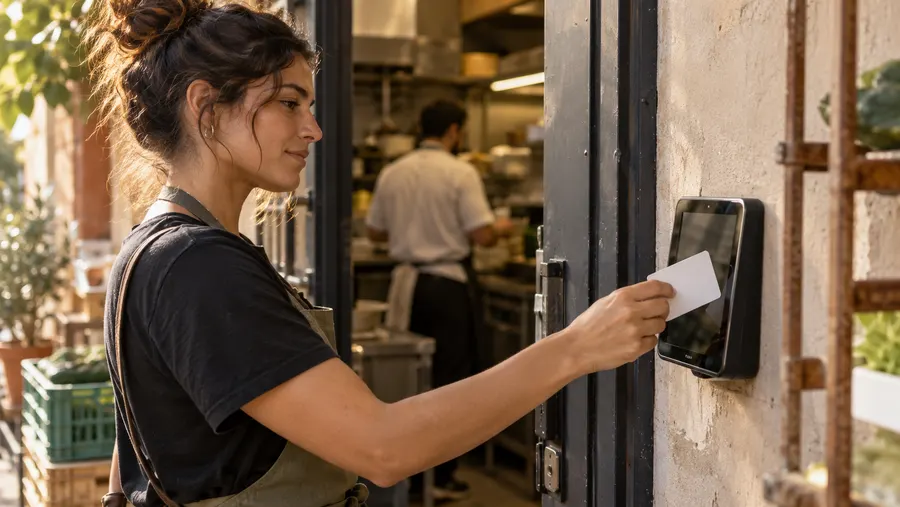
Each employee gets a personal NFC card. The tablet reads it with its built-in NFC, with no external reader.
One tablet at the entrance and a personal card for each employee. Tap the card and the entry or exit is recorded — with the employee’s name and the time on screen.

Each employee gets a personal NFC card. The tablet reads it with its built-in NFC, with no external reader.
The employee chooses nothing. The system decides whether it is an entry or an exit from their last punch.
After the tap the screen shows a greeting, the employee’s name and the time recorded. A card that is not registered gets a clear message.
Tapping again within a minute does not record a second punch — the screen asks to try again in a moment.
Each station is linked to one work location, and every punch on it is recorded with that site.
In the admin console you see every station, which site it belongs to and when it was last seen, and you can revoke a station remotely.
The station keeps the screen on, but it does not lock the device by itself. To keep employees from leaving the app, use screen pinning or device management. To leave kiosk mode properly: tap the logo five times and sign in with an admin account.
An Android tablet or device with NFC, with the RayClock app from Google Play and an internet connection. The tablet reads cards with its built-in NFC, so there is no need for an external reader. Check compatibility with us before buying.
No. The station identifies employees by NFC card only. An employee who has the app can also clock in from the phone, and the punches go into the same report.
The screen sends them to the shift manager. The manager completes the record by hand, and the change is kept in the activity log with who made it and when.
Revoke the card in the admin console and register a new card for the employee. A revoked card is no longer recognized at the station.
Revoke the station on the kiosk stations screen. On its next punch the tablet unpairs itself and goes back to being a regular app, with no account signed in.
The station does not store punches to send later. Without a connection it shows “Network error — try again”, and the punch is not recorded. The manager completes a missed punch by hand with a reason.
Yes. Each station is linked to one work location. You can put a station in every branch, or several stations at the same place.
The tablet station is included in the subscription and is enabled on your account on request. NFC cards are ordered separately — write to support@rayclock.co.il for a quote. Full prices are on the pricing page.
A 14-day trial, up to 100 employees, no credit card. After that, pricing is by active employees.