Projects with a budget
Set approved hours or a budget, and see how much is already used.
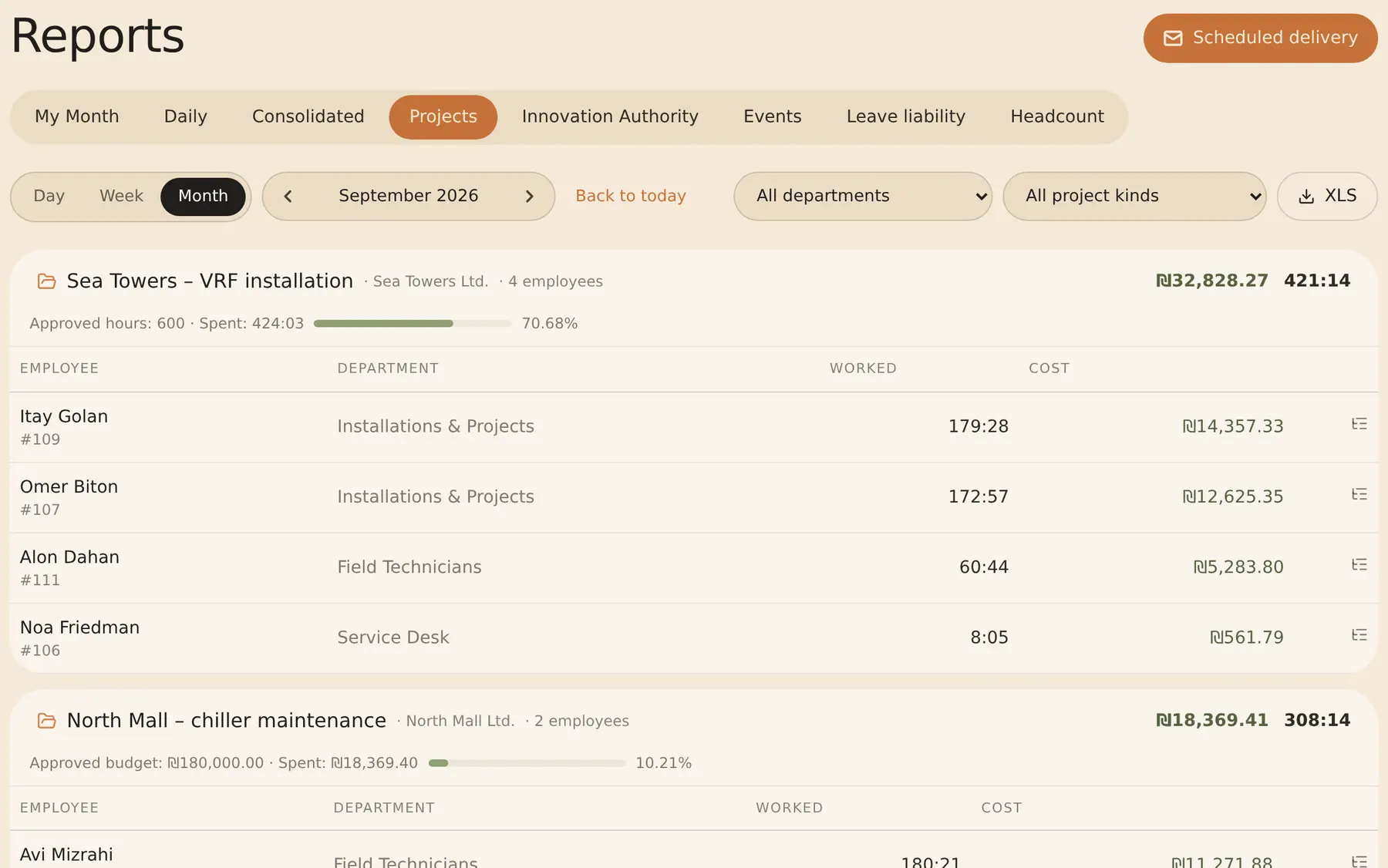
See where the hours go: tasks for the team, time logged per task, and hours and cost for each project against its budget.
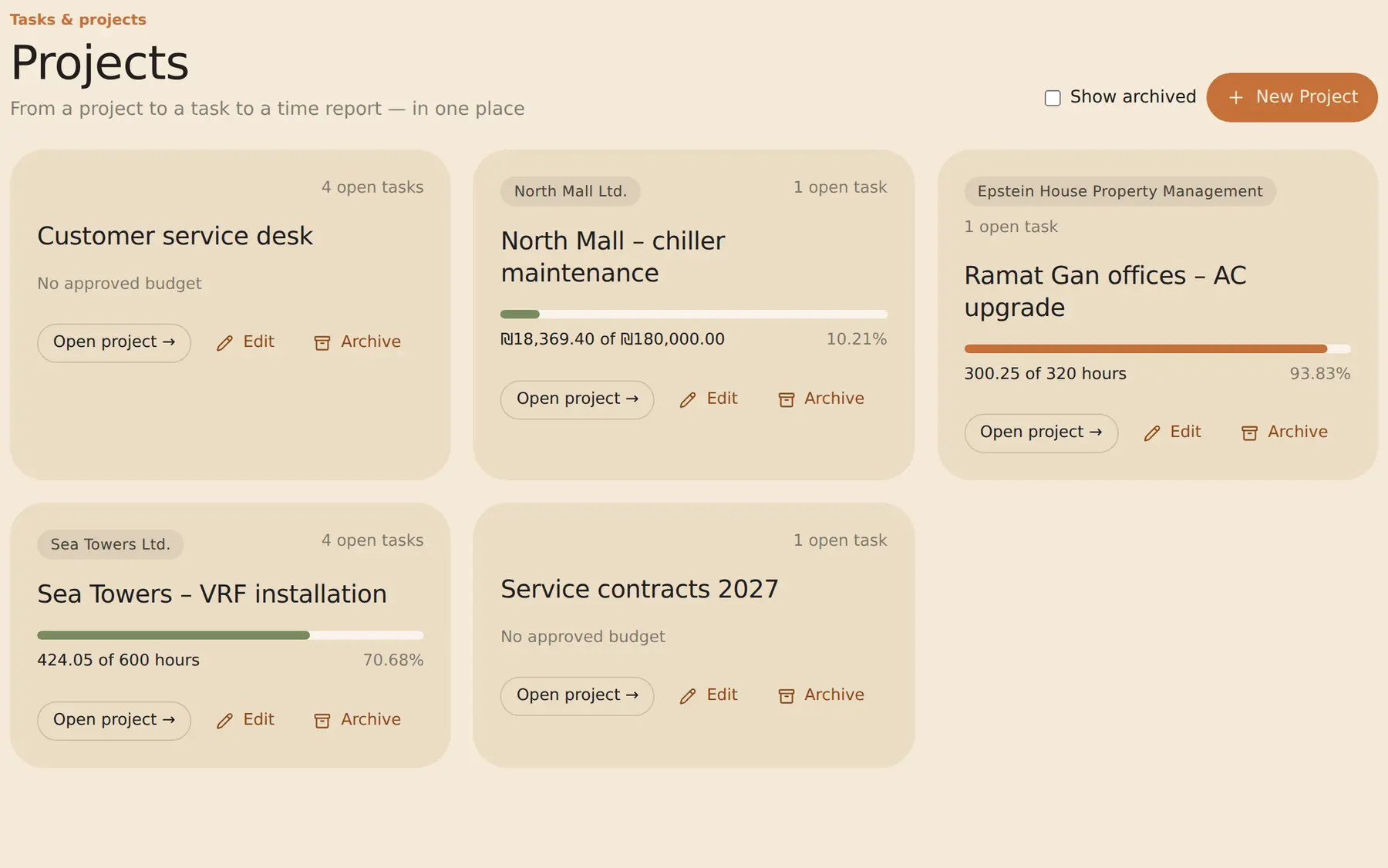
Set approved hours or a budget, and see how much is already used.
Assign, set a due date and track status: to do, in progress, done or blocked.
Employees start a timer or add time, within their attendance for that day.
Tasks are pulled in from the tools you already use, every hour.
No. Attendance comes from clock-ins and goes to payroll. Task time is a separate record of what was worked on, and it has to fall within that day’s attendance.
Only admins. Cost is calculated from each employee’s hourly cost, and managers see hours only.
Yes. For projects on an approved Authority file, RayClock produces the monthly output under procedure 200-02, signed by the employee and the development manager.
No. Tasks are pulled into RayClock, and nothing is written back.
Time tracking for tech companies · Attendance reports and export · Employee time and attendance system
14-day trial, up to 100 employees, no credit card. After that, the price depends on the number of active employees.