
NFC attendance clock station
Choose by the nature of the place
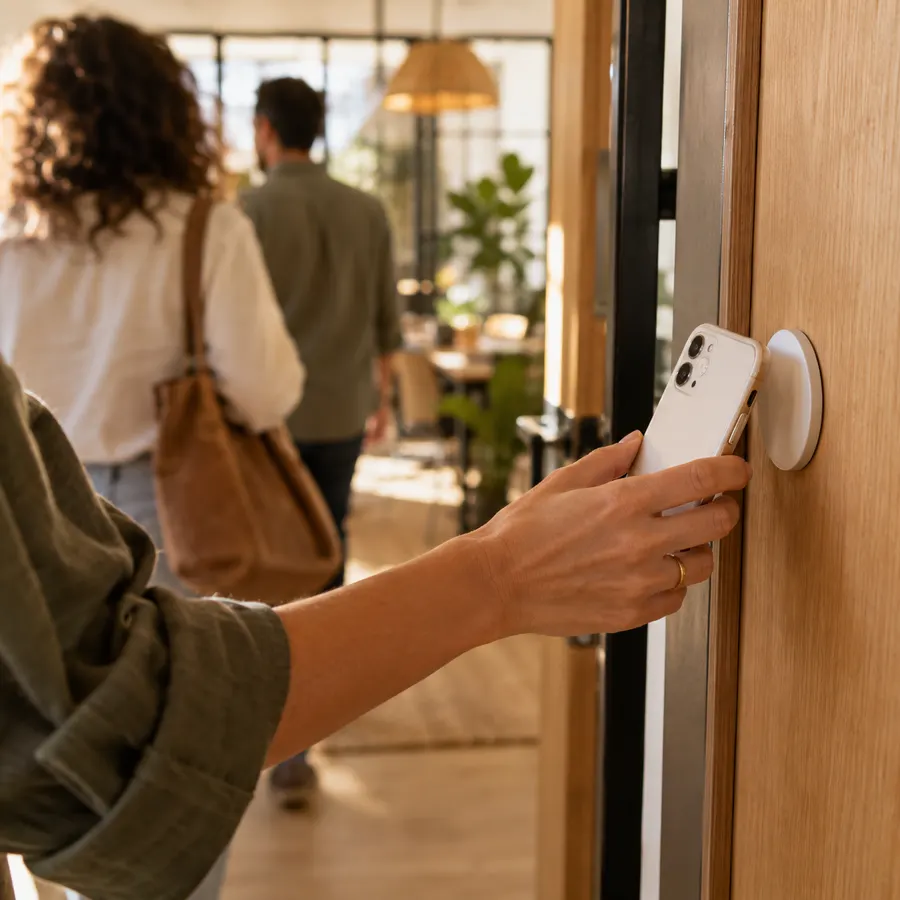

Tap your phone on an NFC tag
A tag placed at the entrance and recognized by the app on an NFC-compatible phone. The tag itself is passive and needs no power or network. The phone needs an internet connection to send the clock-in.
An NFC card for each employee
A personal card tapped on a kiosk station running on an NFC-compatible Android device connected to the internet. Employees can clock in without carrying a phone while they work.
What happens after an employee clocks in
Calculated by law
Break deductions, overtime tiers, and Shabbat and holiday rates according to the Hebrew calendar — automatically.
Daily tracking
Who's in right now, who hasn't arrived yet and which clock-in was left open — on one screen.
Payroll-ready report
Review and lock the month, then generate a file using your export template.
Frequently asked questions
What hardware do I need to set up an attendance station?
Clocking in with a tag requires a configured tag and an NFC-compatible phone with the app and an internet connection. Clocking in with a card requires an employee card and an NFC-compatible Android device set up as a kiosk and connected to the internet. Before buying equipment, it's worth checking compatibility with us.
What is the difference between an NFC tag and an NFC card?
An NFC tag is mounted on the wall and the employee taps their phone on it. An NFC card is a personal card for each employee, tapped on a kiosk station at the entrance — suited to teams that don't carry a phone while working.
Can I combine a station at the entrance with clocking in from a phone?
Yes, and it's very common. Every clock-in lands in the same report and is calculated by the same engine.
What happens if an employee arrives without their phone?
You can give them a personal NFC card. Alternatively, the manager can complete the record manually, and the completion is saved in the activity log with the name of whoever made the change and the time.
Can I try NFC during the trial?
Yes. NFC is turned on per account on request — write to us or book a call and we will enable it. Activation is included in the plan; tags and cards are ordered separately.
Does an NFC tag work with an iPhone?
Yes. The RayClock iPhone app reads the tag: tap “Use a wall tag instead” and hold the phone near it. A kiosk for employee cards runs on an NFC-capable Android device.
How long does it take to set up a station?
A manager registers the tag or enrolls the employee card through the app, and the tag goes up at the entrance. From then on, punches go into the same report as every other clock-in method.