Upcoming absences
On the dashboard: approved absences starting in the next seven days.
The employee requests vacation or sick leave in the app, the manager approves, and the balance updates. At month end, approved absences are already in the monthly report and the payroll file.
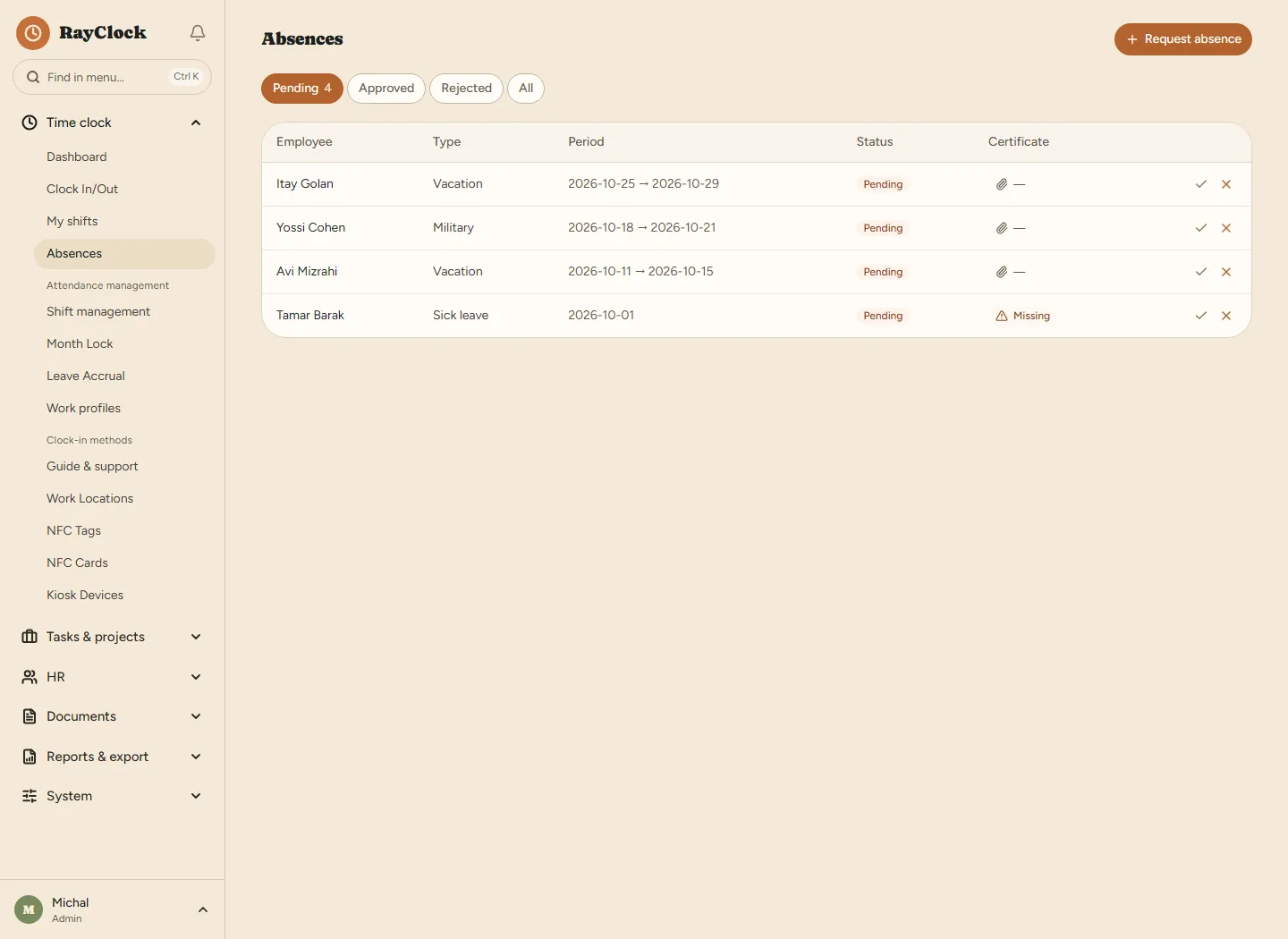
These are the built-in types. The system admin can add their own — paid or unpaid, deducted from the balance or not — and hide types that do not apply to the business.
From the phone or the computer: type, dates and a note. For sick leave they attach a certificate — they can photograph it and attach it in the app, even after submitting.
The request waits for approval. A manager approves or rejects requests from employees in their departments; the system admin does so across the company. An absence the system admin enters is recorded as approved.
On approval, the days come off the balance. They are counted in working days according to the employee's work profile, so a weekend is not counted. Deleting an approved absence returns the days.
An approved absence day is marked in the report by type, and its standard hours are not counted as a shortfall.
Accrual is posted automatically at the start of each month for the month that ended. Every accrual, use, carry-over, expiry, adjustment and payout is a separate entry, so every balance can be explained.
Vacation: 12 working days a year in years 1–5, rising in steps to 20 days from year 12 (for a 5-day week). Sick leave: 1.5 days a month, up to a ceiling of 90 days. Both are pro-rated by job percentage.
Seniority table, monthly quota or annual quota; waiting period, accumulation cap and carry-over cap. You can also set a personal entitlement for an employee from a given date.
Opening balance, accrual, carry-over, expiry, adjustment and payout — with a running balance. A manual adjustment requires a reason. The employee sees their balance and statement in the app.
A preview of the balance to pay out, for types marked as redeemable. Confirming posts a payout entry and zeroes the balance.
On the dashboard: approved absences starting in the next seven days.
In today's attendance view, an employee on approved absence is shown as absent, not as not-yet-arrived.
The dashboard alerts you to absence requests nobody has handled yet.
All absences for a period, by employee, type and status — with Excel export. In shift scheduling, approved absences are shown next to the roster.
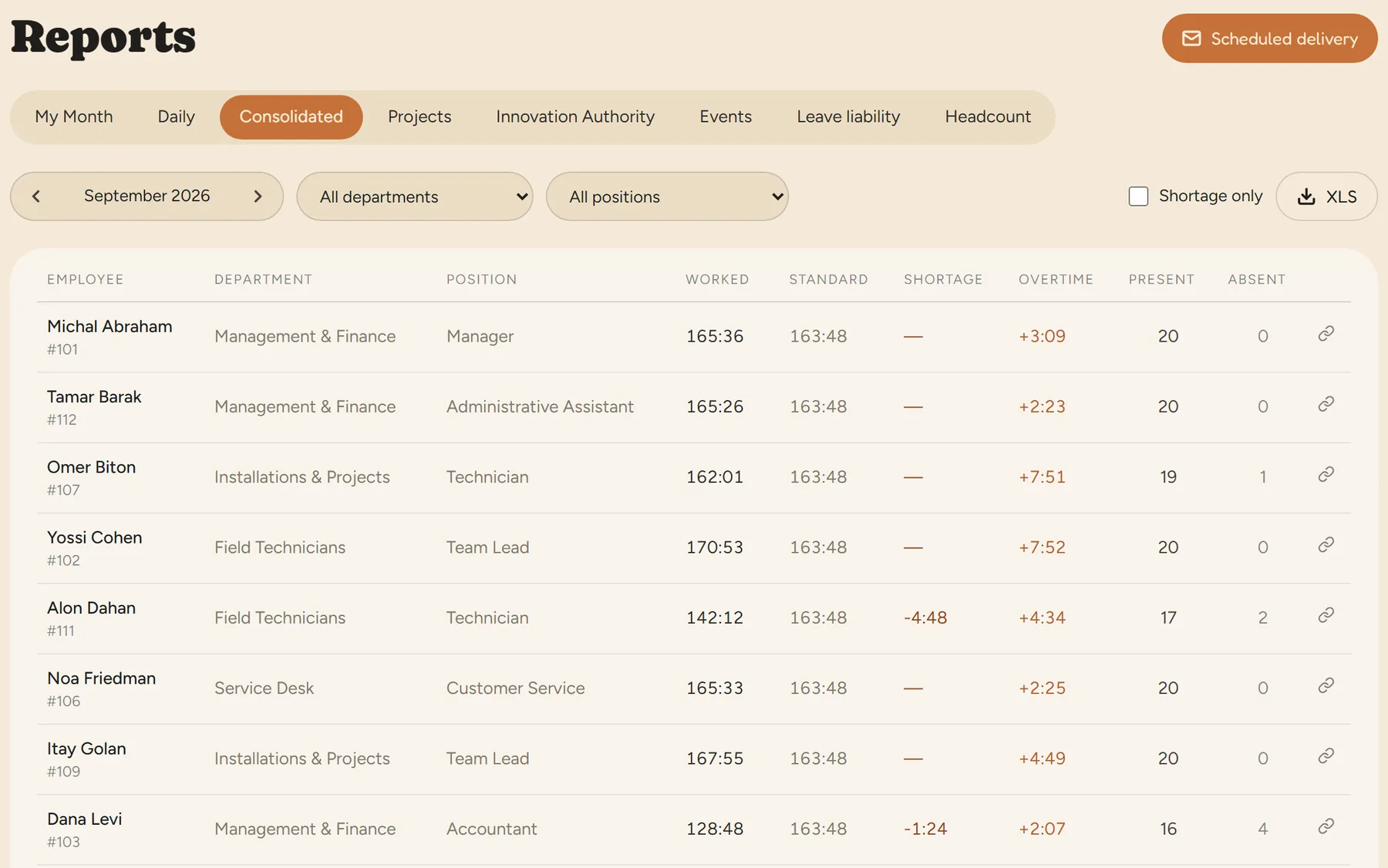
Once a month is locked, absences cannot be added or approved in it, so the figures sent to payroll do not change behind your back.
The Shiklulit file carries sick, vacation and reserve-duty days for each employee. An Excel/CSV template can include the number of absence days.
Payroll export →The full guide to the payroll file: exporting attendance to Shiklulit. You can also ask about absences and approve requests in a chat with the AI assistant.
In the mobile app or on the computer: they choose an absence type, dates and a note, and submit. They can attach a document, such as a sick note. The request waits for approval, and the employee sees its status.
A manager approves or rejects requests from employees in the departments they manage, and the system admin does so across the company. An absence the system admin enters is recorded as approved.
Accrual is posted automatically each month according to the accrual policy and job percentage. Use is counted in working days according to the employee's work profile. Every entry appears in the statement, with a running balance.
Yes. The system admin records a manual adjustment for each employee by absence type, with a date and a reason, and it appears in the statement. Importing balances from a file is not currently available.
Yes. The system admin adds absence types and sets whether they are paid and whether they come off the balance. You can also create your own accrual policy, for example under an agreement or contract, and a personal entitlement for an employee.
Approved absences go into the monthly report. After locking the month you generate a payroll file: the Shiklulit file carries sick, vacation and reserve-duty days, and an Excel/CSV template can include the number of absence days. More on payroll export.
The system defaults are based on the Annual Leave Law and the Sick Pay Law. This is general information, not legal advice; a collective agreement, extension order or personal contract may give more.