Setup guide

From a new account to the first clock-in

Setup is done when one employee makes a real clock-in. It takes a few short steps, and you can add the rest of your team later.
Last updated: October 2, 2026
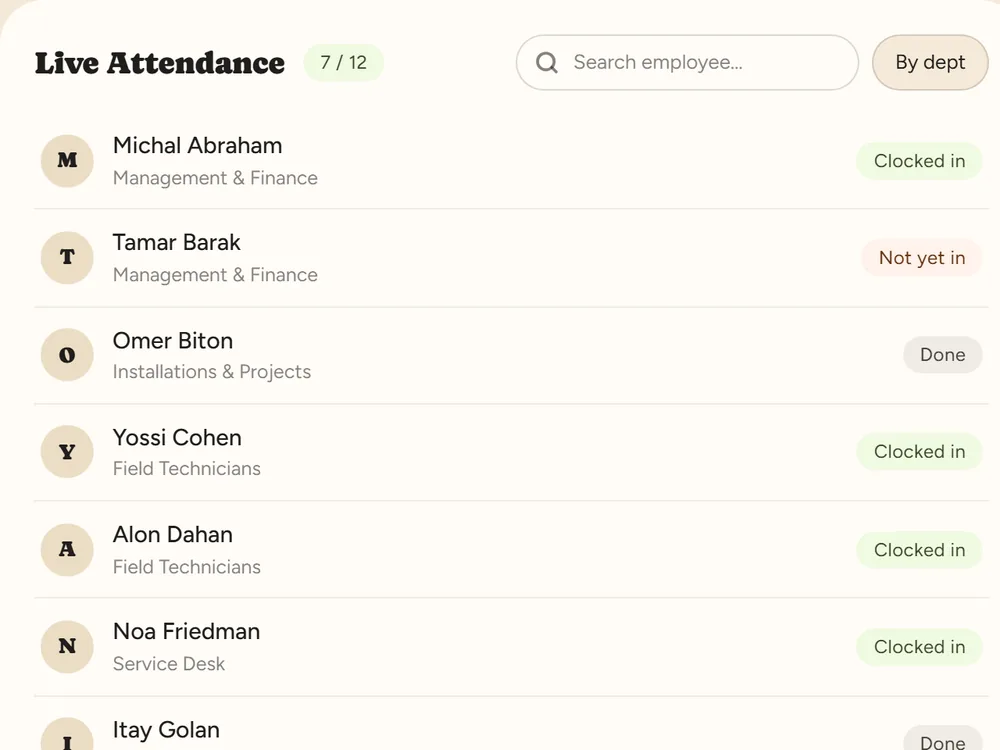
Dashboard: today's clock-ins appear in real time

Five steps

  1. Sign up and confirm your email Fill in your company name and contact details on the trial form. We email you a sign-in link — open it and choose a password. A company number is optional at this stage. No email? Check your spam folder, or request a new link.
  2. Choose a work profile The work profile sets work days, hours and overtime. The system suggests a template that fits the work week you chose (Sun–Thu or Mon–Fri). Start from it and fine-tune when needed — for example break deduction.
  3. Add employees Add one employee by hand — a name and email are enough — or import a list from an Excel or CSV file, even one exported from another system: the columns are recognized automatically. Every new employee gets the work profile you chose.
  4. Send the invitation The employee gets a sign-in link by email or SMS and chooses their own password. There are no login details for you to pass on.
  5. The first clock-in The employee signs in from a computer or the RayClock phone app and taps Clock in. It appears right away on your Getting started screen and the dashboard, and the monthly report is built from there.

After the first clock-in

Choose how your team clocks in

Phone and computer work from day one. You can add location checks, a shared kiosk at the entrance, or NFC tags and cards — talk to us about NFC and we will turn it on. Full comparison in clock-in methods.

Reach the end of the month

Hours, overtime and absences are calculated as the month goes. At the end you review, lock and export to payroll. Shiklulit has a dedicated export; for another payroll system we will check an Excel or CSV file together.

When the trial ends

The trial runs 14 days, up to 100 employees, with no credit card and no automatic charge. To continue, choose a plan and pay from inside the system. Pricing depends on headcount — see pricing.

Stuck halfway?

Write to us with what you were trying to do and where it stopped, or book a call and we will do the setup together. We aim to reply within one business day.