Daily and monthly
Who worked, how long, overtime and shortage, for one day or the whole month.
Every report a manager needs at month-end, by department or site, in Excel or straight to payroll.
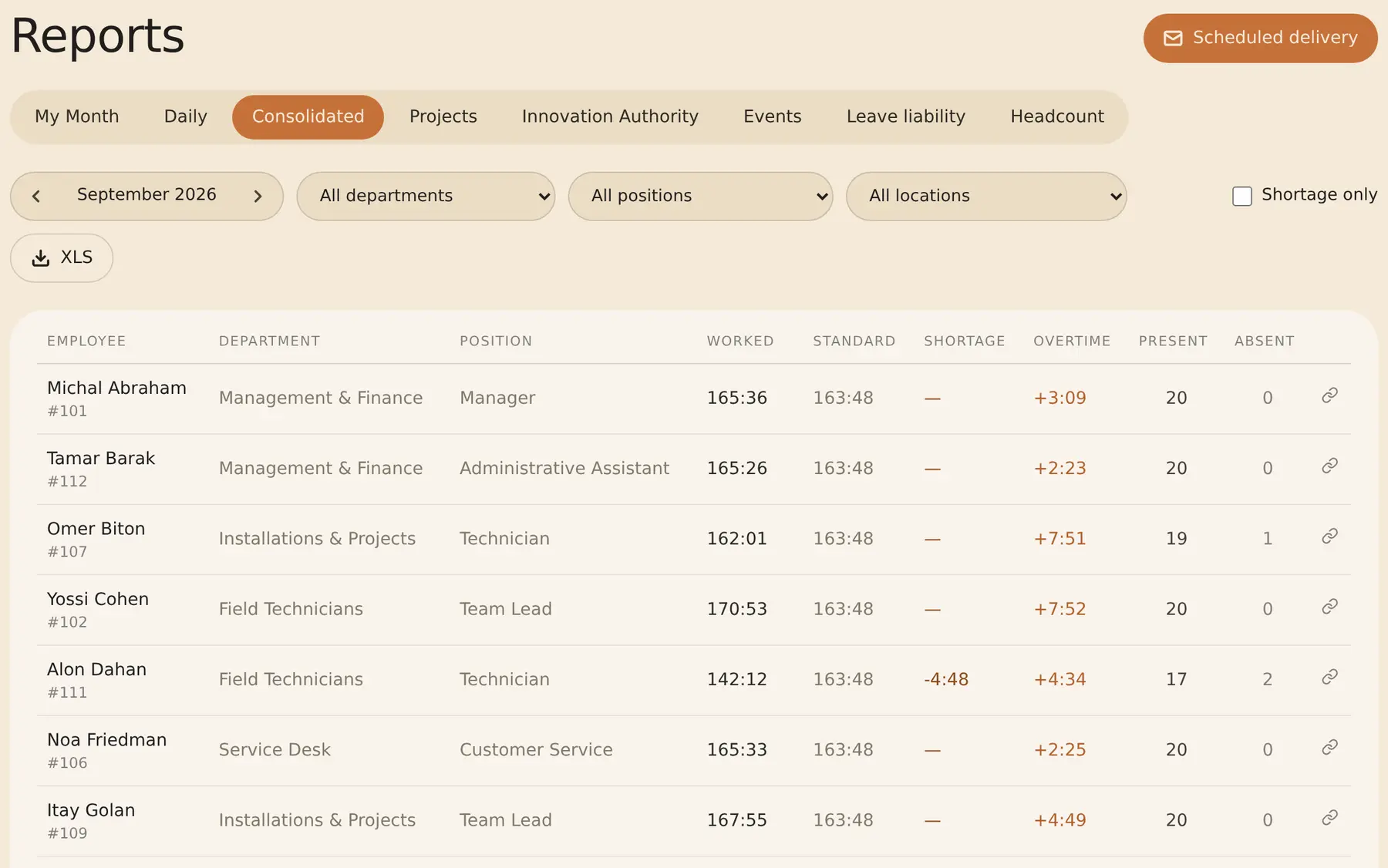
Who worked, how long, overtime and shortage, for one day or the whole month.
Each manager sees their own team. Filter by department, position or work site.
Hours per project, absences, leave liability and monthly turnover.
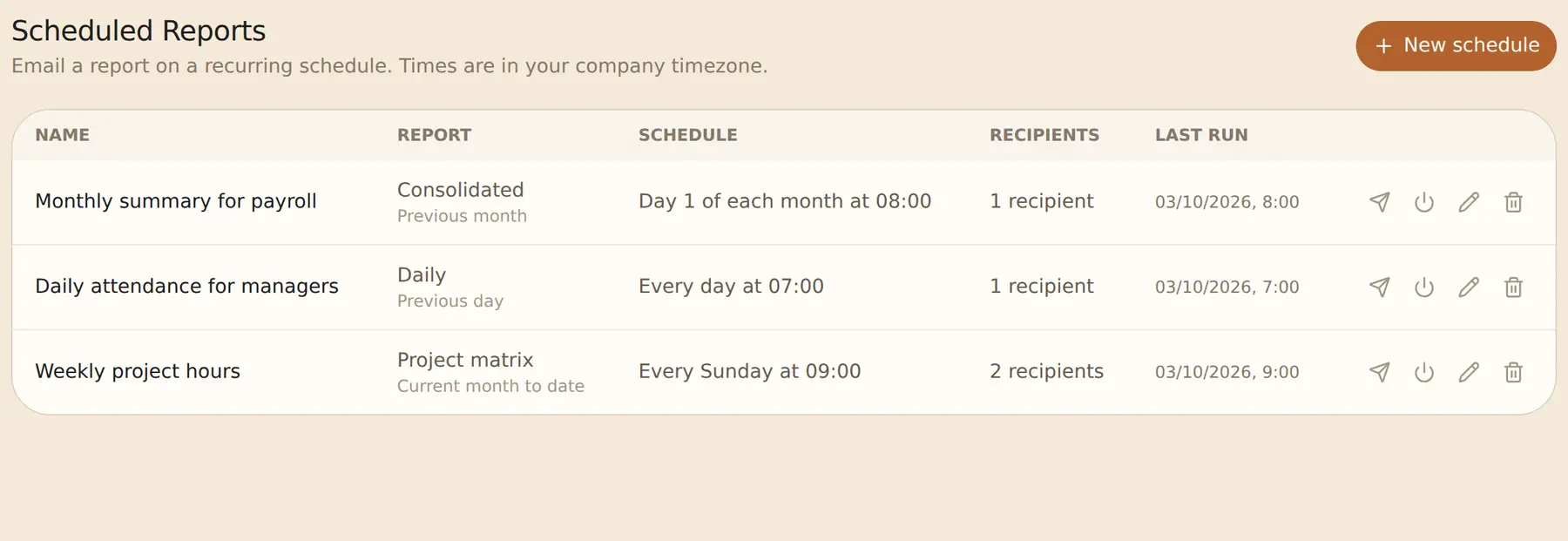
The report arrives by email on a schedule, as an Excel file, to up to 25 recipients.
Yes. With two or more work sites, the reports show the employees who clocked in at a site, with all their hours.
Shiklulit has a dedicated file (Excel or TAMAL-5.DAT). For other systems, build an Excel or CSV template with the fields you need.
Yes. Your accountant gets read-only access and downloads the payroll file for each month themselves.
Yes. A department manager sees only the departments they manage and the ones under them.
Attendance data, ready to send to payroll · Employee time and attendance system · All your clients, ready for payroll
14-day trial, up to 100 employees, no credit card. After that, the price depends on the number of active employees.