Digital signature
To one employee, an ordered round of signers, or the whole company at once.
Send a document for signing, see who has signed, and every employee gets their payslips and documents in the app.
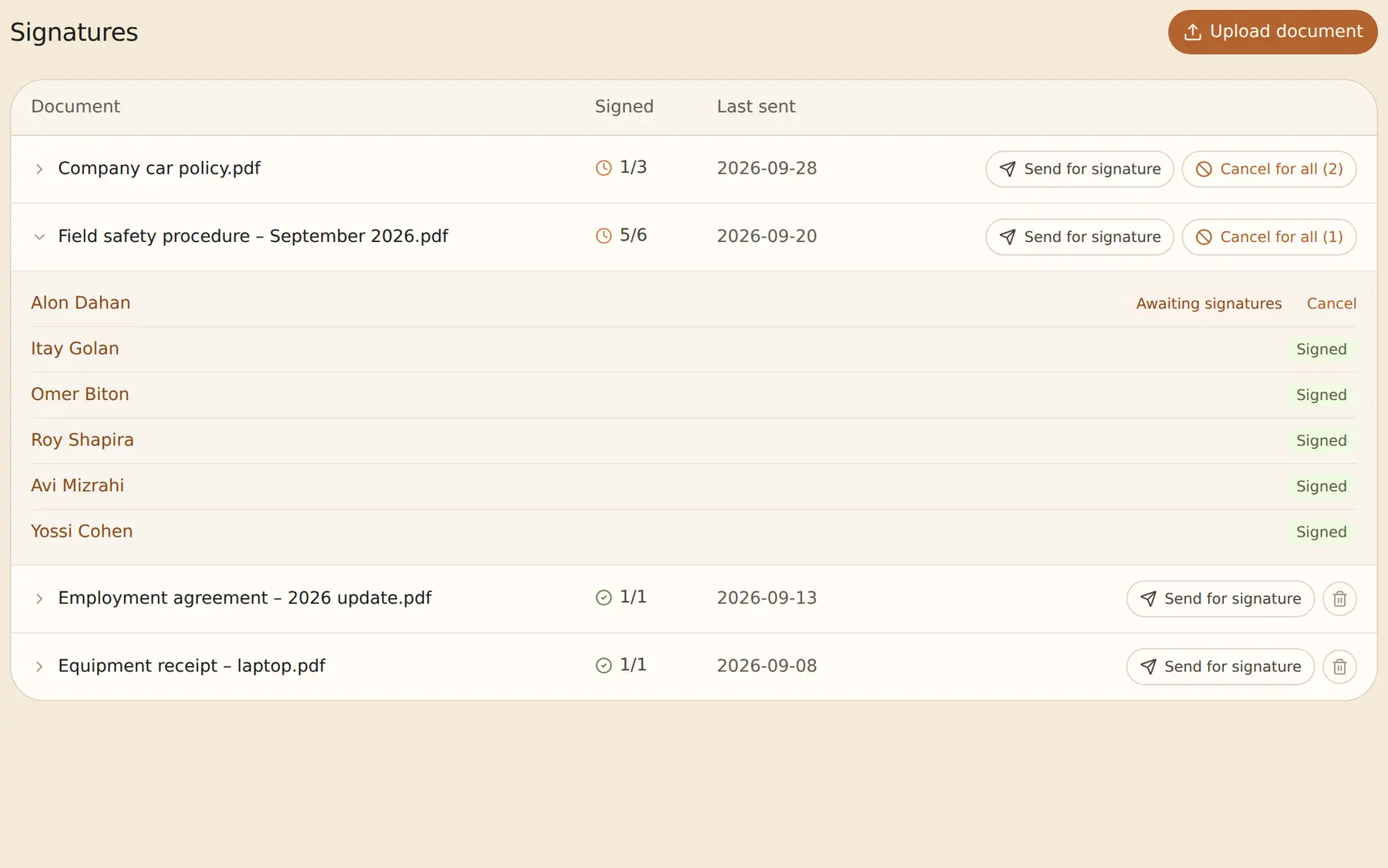
To one employee, an ordered round of signers, or the whole company at once.
Once signed, the document is sealed, and any later change is detected.
Upload the month’s payslips, they are matched to employees by number, then publish.
Employees fill in and sign digitally, and you see who has not submitted yet.
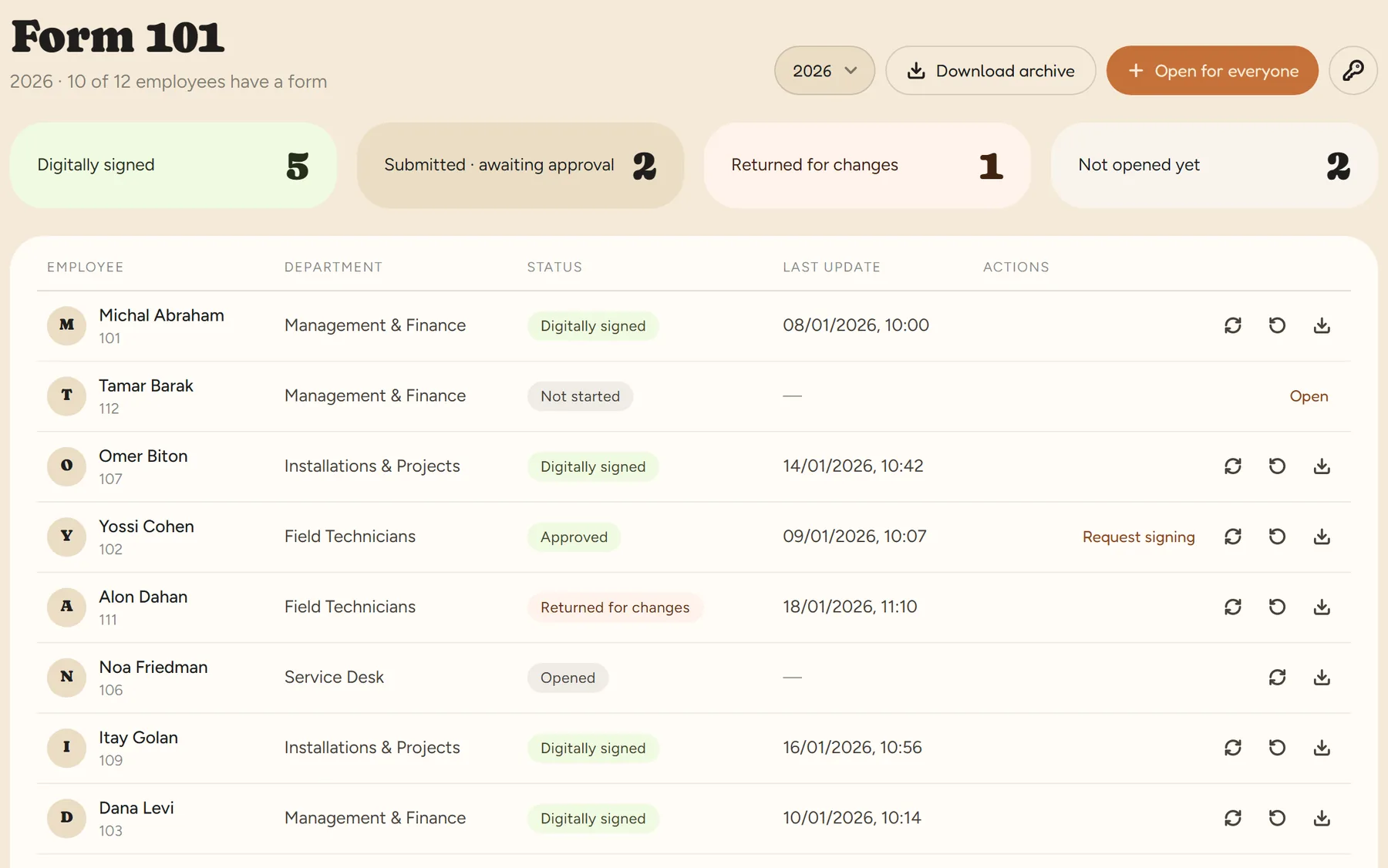
The Electronic Signature Law does not require a certified signature for employment documents. RayClock identifies the signer from their login, keeps evidence of the signature and seals the document. Form 101 is signed with a certified provider.
No. Each employee sees only their own documents and payslips, and what they were asked to sign.
You upload the month’s files, they are matched to employees by employee number, payroll number or ID, and once you publish, each employee sees their own in the app.
Digital Form 101 for employees · Employee management and a digital employee file · Amendment 24 to the Wage Protection Law — a practical guide for employers
14-day trial, up to 100 employees, no credit card. After that, the price depends on the number of active employees.