A department for each team
Set up departments — housekeeping, kitchen, front desk, maintenance — with sub-departments if you need them. Each department manager sees and approves only their own people, and hotel management sees everyone.
Housekeeping, kitchen, front desk and maintenance — each department with its own shifts and manager, a hotel that never closes, and seasonal staff who arrive for the summer and the holidays.

Set up departments — housekeeping, kitchen, front desk, maintenance — with sub-departments if you need them. Each department manager sees and approves only their own people, and hotel management sees everyone.
Morning, evening and night shift templates, and a schedule that is published to employees’ phones. A night shift that crosses midnight counts as one shift.
An NFC tag on the wall for staff with a phone, and a kiosk with personal cards for those without one — housekeeping, for example.
Before the summer or the holidays, import a staff list from Excel and send invitations. When the season ends, mark them inactive — you pay only for active employees.
Hours on Shabbat and holidays are calculated automatically at the rate set in the work profile, alongside overtime by law. At month end you export to payroll.
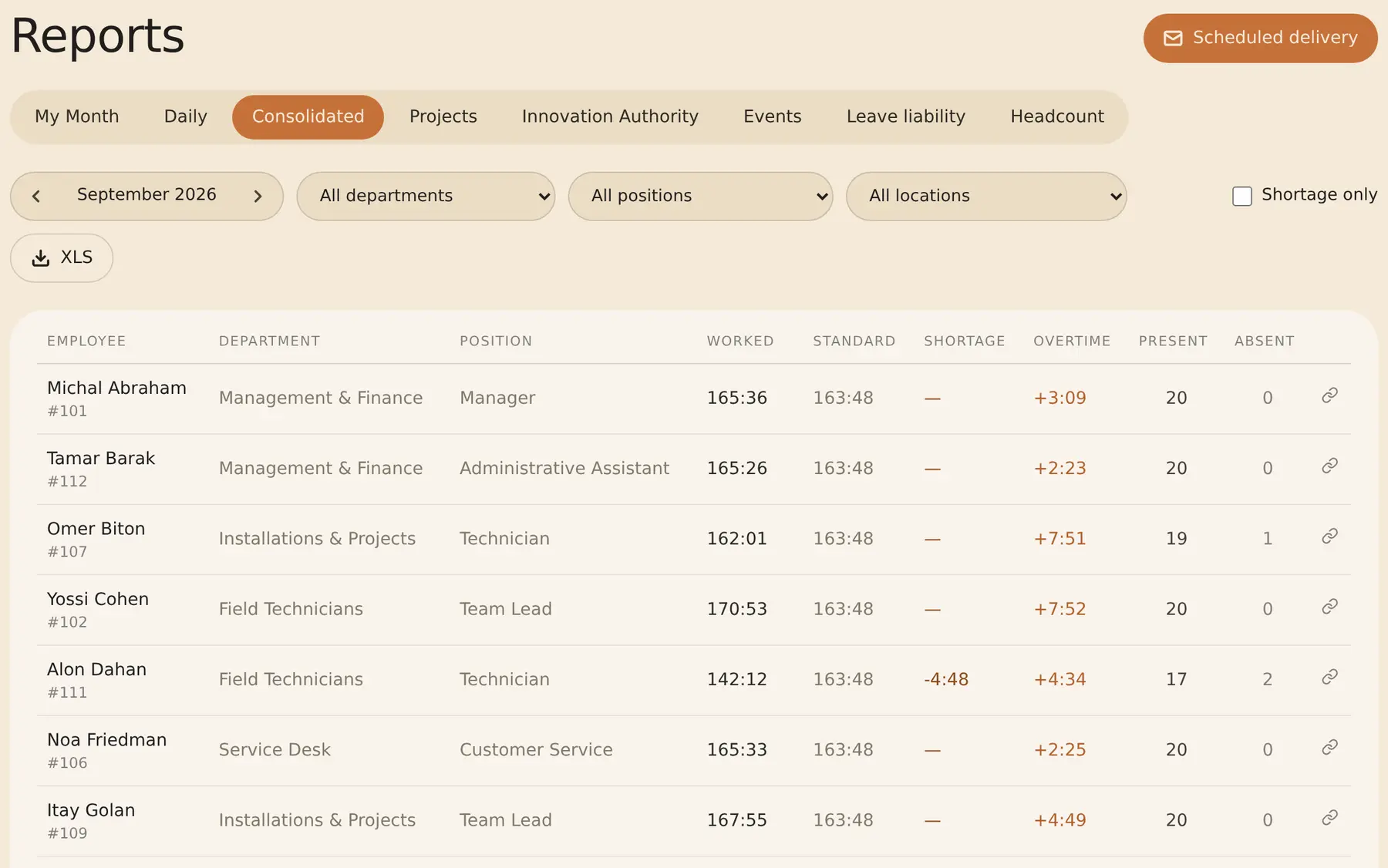
Filter any report by department, and schedule a report that reaches each department manager by email as an Excel file.
Yes. A department manager sees and schedules the employees in their department, and approves their swaps and open-shift requests.
Yes. A shift that crosses midnight counts as one shift, and its hours are calculated together.
Hours on Shabbat and holidays automatically get the Shabbat rate you set in the work profile. Under the Hours of Work and Rest Law, someone lawfully employed during the weekly rest is entitled to at least 150% and to alternative rest.
Each employee can get a personal NFC card and clock in with it at a kiosk — an NFC-capable Android tablet with an internet connection.
No. You pay only for active employees. At the end of the season mark them inactive, and next season reactivate them — their file is kept.
Yes. A system admin sees every employee, and can filter the monthly report by department or see the whole hotel together.
The employment-law information on this page is general and is not legal advice. A collective agreement, an extension order or a personal contract may give employees more.
Shift scheduling · NFC attendance clock · Time clock for restaurants · Attendance for large companies · Overtime and Shabbat and holiday rates
A 14-day trial, up to 100 employees, no credit card. After that, pricing is by active employees.