Employees: browser or app
On a computer — open the site and tap clock-in. On a phone — the app for Android and iPhone from Google Play and the App Store, or straight from the browser. The same email and password everywhere.
The time clock lives in the browser and on the phone, not on the wall. An employee taps clock-in from any device with internet, and the punch shows up for the manager right away — at the office, at home or on the road.

On a computer — open the site and tap clock-in. On a phone — the app for Android and iPhone from Google Play and the App Store, or straight from the browser. The same email and password everywhere.
The system runs in the browser. No server at the office, no software to install and no updates to run. Log in from any computer or phone, with a password or with a Google or Microsoft account.
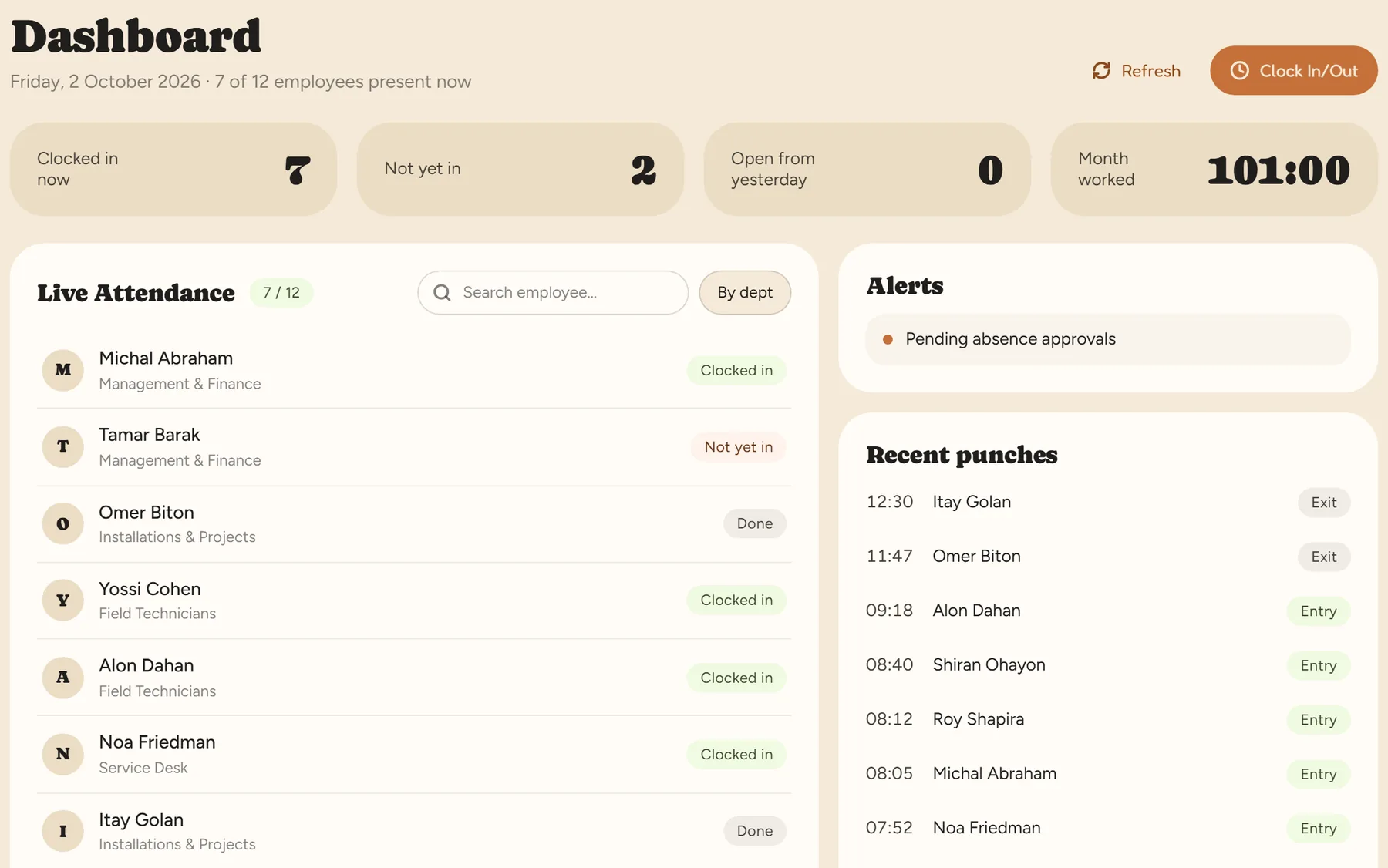
See who is in now, who hasn't arrived yet and the latest punches. A punch left open or a day with no report is flagged the same day, not at month-end.
Office, working from home, branches and the field — every punch goes into the same report and is calculated by the same engine under the Hours of Work and Rest Law.
An admin sees the whole company. A manager sees and acts only in their own departments. An employee sees only their own data.
Every change to a punch is kept in the activity log — who changed what, and when. At month-end you lock, and what is locked is what goes to payroll.
The manager installs nothing — the system works in the browser. Employees can clock in from a browser on a computer or phone, or download the app for Android from Google Play or for iPhone from the App Store.
Sending a punch needs an internet connection. If a punch didn't go through, it is completed later with a reason — by the employee, if you allow it, or by the manager — and the correction is kept in the change log.
No. Location is checked only at the moment of the punch, and only if you turned on location verification for the work site. Between punches, location is not collected.
Yes. You can add an NFC tag at the door, or a tablet with NFC cards for staff without a phone. All punches go into the same report, and each punch keeps its source.
Yes, through the browser. The mobile app is for employees; management — the dashboard, corrections and approvals — is done in the system in the browser, on a computer or a phone.
₪14 per active employee per month up to 10 employees, and less as the team grows, before VAT. Clocking in from the browser and phone is included. There is a 14-day free trial, up to 100 employees, no credit card.
Prices for a few employees, setup, and what you do at the end of each month.
The free options, what they don't do, and free tools to download.
How to record hours for employees at home and in the field.
A 14-day trial, up to 100 employees, no credit card. Clocking in from the browser and phone is available right after sign-up.