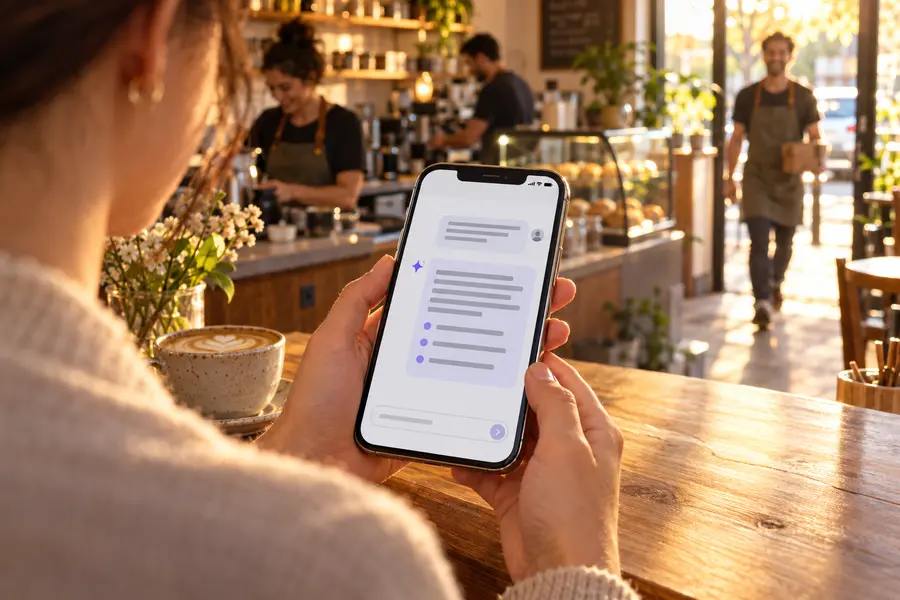
Most Israeli employers still run an attendance clock bought a decade ago: a terminal on the wall, software installed on one office computer, and at the end of every month a few days of checking, fixing and exporting for the accountant. This comparison walks through what changes when you move to the cloud — and especially a change that didn't exist until recently: an AI assistant that does the work inside your attendance system, from ChatGPT or Claude.
What a "legacy attendance system" is
We don't mean a specific brand, but a setup most businesses know:
- A physical clock-in terminal — magnetic card, proximity or fingerprint — at one point in the business.
- Installed software on a PC or server in the office that only the person sitting at it can use, with version upgrades by a technician.
- A lot of manual work at month-end (at least on older systems): find missing punches, fix them one by one, approve leave from a separate spreadsheet, export and send to payroll.
- And often Excel or paper cards alongside it, for employees who never reach the terminal.
That setup worked when everyone came through the same door. Today, with branches, field staff, remote work and Amendment 24 to the Wage Protection Law, it is expensive in time.
The big difference: an AI assistant that does the work for you
An "ordinary" cloud system moves the same screens from the office PC to the browser. That's convenient, but it's still you clicking through them. In RayClock you can connect ChatGPT or Claude directly to the system (through an MCP server) and run almost everything in a sentence:
- Questions: "Who hasn't arrived yet today?", "How much overtime did each employee have in September?", "Who's on leave next week?"
- Actions: add a forgotten punch, correct the time of an existing punch (with a reason), close open punches in bulk, approve leave requests, record a sick day.
- Whole processes: "Close September and do whatever it takes" — the assistant checks what's open, proposes closing punches by the work schedule, shows requests for approval, exports the payroll file, locks the month and sends it to the accountant.
- People and shifts: add an employee and send their invitation by email or SMS, update a department or job percentage, assign and publish shifts.
Time saved — without giving up control
Before every change the assistant shows exactly what will change, and nothing happens until you approve. Changes go through the same rules as the app (locked months, a reason for corrections, permissions) and are recorded in the activity log and the attendance change log as made by the AI assistant. Sensitive actions — changing a role, email or pay, deleting punches, reopening a locked month and approving bank details — stay in the app on purpose. The assistant never sees ID numbers, bank details or salaries. Full details on the ChatGPT and Claude page.
Comparison table
| Topic | Typical legacy system | RayClock |
|---|---|---|
| Working with the system | Screens and reports, on the office PC | Browser, app — and a conversation in ChatGPT or Claude that takes action |
| Month-end close | Manual pass over exceptions, fixes one by one | Month-end checklist, bulk close of open punches, export and lock — or one sentence to the assistant |
| Clock-in methods | A terminal at a fixed point | Phone with location check, browser, kiosk, NFC tags and cards — all into one report |
| Field staff and branches | A terminal at each site, or manual reporting | Point-in-time location check against work sites, no hardware |
| Calculation under the law | Depends on version and settings | Engine based on the Hours of Work and Rest Law: 125%/150%, breaks, Shabbat and holidays |
| Leave and sick days | Often a separate spreadsheet | Requests, approvals and balances in the same system |
| Change records | Varies by system | Attendance change log and month locking, including the assistant's actions |
| Payroll export | A generic file or retyping | A Shiklulit file, or your own Excel/CSV template |
| Installation and updates | Technician, server, versions | Cloud, nothing to install; automatic updates |
| Cost | Hardware upfront, sometimes a service contract | ₪5–₪14 per active employee per month, no setup fee (excl. VAT) |
| Languages | Usually Hebrew | Hebrew, English and Russian |
The "legacy system" column describes a common setup, not a specific vendor — some established vendors already offer an app and a cloud version. Check in a demo what you actually get.
Month-end: before and after
In a legacy system
- Run a report and hunt for open punches and unreported days.
- Open each employee and fix every punch separately.
- Go through leave requests and approve them one at a time.
- Check shortages and overtime before payroll.
- Export a file, lock the month and send it to the accountant.
In RayClock with the AI assistant
You write: "Close September and do whatever it takes." The assistant runs the month-end checklist, lists the open punches with a proposed clock-out from the work schedule, and once you confirm closes up to 50 at once — night shifts included. When a decision is needed (was a missing day sick leave or a forgotten punch?) it asks. Finally it exports the payroll file as a one-time download link, locks the month and sends the report to your accountant. If open items remain, it won't lock unless you explicitly insist.
When a legacy system still fits
To keep this fair — there are cases where it makes sense to stay, or at least to wait:
- Clock-in tied to access control — if the terminal also opens the door or turnstile, replacing it is a security project, not just attendance.
- Attendance bundled with your payroll bureau — if your accountant or payroll bureau provides an attendance module wired into their payroll software, compare the import format before you switch.
- Biometric identification as an operational requirement — RayClock doesn't use fingerprints. Note that under a National Labor Court ruling, an employee can't be required to give a fingerprint without free consent.
- A contract still running — if you've paid for hardware and service for the year, run RayClock in parallel during the trial and switch when the contract ends.
How to switch without losing a month
- Start a trial — 14 days, up to 100 employees, no credit card.
- Import employees from an Excel file and set up work profiles (job percentage, hours, breaks).
- Run in parallel for one month: employees clock in on both systems, and you compare the payroll report.
- Connect the assistant to ChatGPT or Claude and close your first month from the chat.
- Keep the old archive — the duty to keep records continues after you switch.
Related: alternatives to your current attendance system, attendance systems in Israel in 2026, and how to choose an attendance clock.
This article was written by RayClock. The "legacy system" description is general and does not refer to any specific vendor; every system's features and prices change, so verify with the vendor. This is not legal advice.
Close next month from the chat
Start a 14-day trial, connect ChatGPT or Claude in a few minutes, and let the assistant do the month-end. No credit card.
Frequently asked questions
What's the difference between RayClock and an ordinary attendance clock?
An ordinary clock records arrivals and departures at a fixed point, and the rest of the work — corrections, leave, month-end close and payroll export — is done in the clock's software, often by hand; some modern cloud-connected clocks shorten part of this. RayClock is a cloud system with clock-in from a phone, a browser and NFC stations, hours calculated under Israeli law, and an AI assistant connected to ChatGPT or Claude that does those tasks for you, with your approval.
What can RayClock's AI assistant do?
Almost everything you do in RayClock: answer questions about attendance and hours, add and correct punches, close open punches in bulk, approve leave, record absences, add employees and send their invitations, assign shifts, export the payroll file and lock the month. Before every change it shows what will change and asks for approval.
Does the assistant see salaries or bank details?
No. ID numbers, bank details and salaries are never sent to the assistant, and report files download straight to your browser through a one-time link instead of passing through the chat.
How much does it cost to move from the old system?
There's no setup fee. The price is ₪5–₪14 per active employee per month excl. VAT, by team size, and the AI assistant is included. NFC tags and station equipment are ordered separately if you choose them.
Can we keep clocking in on the old clock during the trial?
Yes. We recommend running both systems in parallel for one month and comparing the payroll report before you retire the old one.